 VeilBox
VeilBox / Downloads
VLESS client for Windows 10 and 11
VeilBox is a free, open-source VLESS client for Windows 10 and Windows 11 on x64 PCs. It combines server profiles, subscription import and routing controls in a desktop interface. Bring a VLESS link or subscription from your own server or provider: the client does not include VPN servers.
What you can do with VeilBox
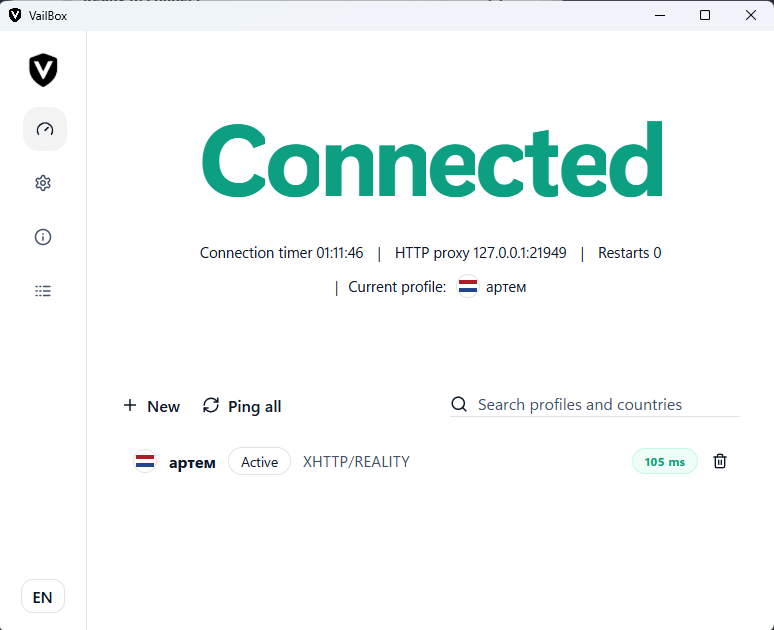
Import one VLESS URI, a supported JSON configuration or a subscription containing multiple profiles. Keep several connections in the client, select a profile and use the dashboard to connect. Subscription grouping and refresh controls help when a provider changes its server list.
The Windows 2.2.0 profile form exposes RAW/TCP, WebSocket, gRPC, XHTTP, HTTPUpgrade and mKCP transports. Security choices include TLS and Reality where supported by the transport and server. This is a list of exposed options, not a promise that every transport/security combination is valid. Import the exact settings supplied by your administrator.
VeilBox also has an AmneziaWG import workflow. That uses a separate engine and configuration; a VLESS URI cannot be converted into an AmneziaWG peer simply by changing its protocol name.
System Proxy or TUN?
Choose the mode based on the applications you need to route. Start with a working profile before introducing more specific routing rules.
Swipe or scroll horizontally to view all columns.
| Choice | Useful for | Limit to understand |
|---|---|---|
| System Proxy | Applications that follow Windows proxy settings | Some applications ignore the proxy; it does not capture all UDP traffic. |
| TUN | Traffic captured through a virtual interface; process, domain and IP routing | Requires administrator permissions and a working bundled runtime; rules and bypasses still apply. |
| Split routing | Sending a selected list through the tunnel or directly | Matching depends on the rule type and destination; verify both listed and unlisted traffic. |
Before you download
The published Windows package is the 2.2.0 x64 .exe installer. Windows 10 and 11 are the documented platforms. This page does not promise Windows ARM64, Linux or an Intel Mac build. Download the official asset below or inspect the GitHub release notes first.
The application is free; hosting a server or buying a provider subscription is separate. You need a valid server address, credentials and matching transport/security settings. Do not use random example UUIDs or public keys as working connection details.
Your first connection
For the complete workflow, use the Windows setup guide linked below. It covers manual Reality fields, subscription errors and checks after connecting without repeating those instructions here.
- Install the official Windows package and open VeilBox.
- Import your provider's vless:// URI or use the dedicated subscription URL form for an HTTP(S) subscription.
- Select the imported profile, choose a connection mode in Settings and connect. If you select TUN, approve the administrator relaunch when requested.
Frequently asked questions
Is VeilBox a free VPN for Windows?
VeilBox is a free client, not a free server service. It connects to servers and subscriptions you supply. Any provider fees are separate from the application.
Does it support VLESS Reality on Windows?
The Windows profile editor and importer support Reality fields including SNI, public key and Short ID. The server and transport must accept the same settings; an imported profile is not proof that the remote server is reachable.
Can I use it without TUN?
Yes. System Proxy is available for applications that follow Windows proxy settings. Use TUN only when you need its traffic-capture and routing behavior, and verify your actual application traffic.
Will the app supply a server when I install it?
No. Obtain a compatible VLESS URI, subscription or configuration from your server administrator or provider before connecting.
Download VeilBox
Windows: 2.2.0. macOS Apple Silicon: 2.1.0 beta. VeilBox does not include VPN servers.
Related guides
Sources and compatibility notes
Technical steps checked against VeilBox 2.2.0 Windows source. Labels can vary with the interface language. The separately published macOS beta does not establish Windows feature parity.
Windows 2.2.0 release and assets